There are two wireless devices, one type of wireless Access Point (AP) and a longer Wireless Cable / DSL Router. Both these devices have not functioned optimally, directly arise curiosity to configure the AP. Model and brand of wireless devices is not mentioned, because it can not be a fee from the vendor and allows exploitation made easy by the illegal access of the area around the office he .. he ..
The first configuration are made to the AP, no password, the default password has been changed, no need to ask the previous configurator, find a way to reset to default factory settings on google.com, can some information from the forum / mailing list, after a try finally returned to the AP configuration initial setting.
AP Interface to adjust the settings done by entering the IP address of the AP through the browser, some configuration is done, including by:
1. Adjust so that AP can serve as a DHCP server
2. Trying features Wired Equivalent Privacy (WEP) and Wi-Fi Protected Access (WPA)
3. Regulate access based on MAC Address The access device
4. etc.
Several configurations are made does not work properly, for example even though the DHCP server has been set, the AP does not provide the IP in accordance with the allocation specified.
Upgade Firmware
Typically such devices have firmware AP will provide a firmware upgrade to make improvements, even with firmware upgrades will be no additional or new functions. Simply look for the latest firmware for the AP in a vendor website. Apparently there have been several releases of the old firmware on the AP, download the latest firmware version. Firmware is downloaded in the form of executable files, run the file will do decompress and produce the README file and firmware updates.
The upgrade process can be done easily, which is directly performed through a browser, enter the firmware update file, then click sumbit, in less than one minute upgrade process is completed and the new firmware directly attached. Reset to default factory setting is appropriate vendor recommendations in the README file.
Firmware upgrade gives very satisfactory results, namely DHCP server to function properly and the availability of additional facilities / new wireless device now functions into three types:
1. Access Point (default function)
2. Client Bridge Mode
3. Repeater Mode
AP and Computer Server
Currently, AP has been functioning well and properly, then there is a desire to set up a computer to be used as a server that will provide functionality for:
1. User management
2. Access Management
3. Proxy and Firewall
4. Authentication management
5. Noting log / history access
6. Provide billing features
Are there any readers who have done / installed an integrated open source applications for Linux to needs like this? if any, awaited his comments.
This is how to share internet connection cable with 2 LAN cards on windows XP.
there are 4 steps
1. Default network cable ISP
2. Setting windows to be able to share connection
3. IP settings on each LAN card
4. Connect the second LAN, and please browse
Default network cable ISP
ISP via tv cable -> cable modem -> LAN card first computer. make sure the internet was alive and was able to browse.
Setting windows to be able to share connection
Start -> Programs -> accessories -> Communications -> Network Setup Wizard
Next to appear the following windows.
select the appropriate instructions on the picture
The default is the LAN card which connect to the internet. Just stay next to complete. if asked for in the save to disk on the decline answered NO and the finish.
make sure Internet Connection Sharing on the LAN properties on the first computer that is connected to a cable modem selected.
check "Allow other network users to the connect through this computer's Internet connection"
IP settings on each LAN card
Setting the LAN card to the internet (computer 1) - default of technicians.
- Obtain an iP address automaticaly
- Obtain DNS Server Address Automatically
Setting the LAN card to Other Computers (computer 1):
IP Address: 192.168.0.5
Subnet Mask: 255.255.255.0
Default Gateway: blank
DNS: blank
Setting the LAN card on Another Computer (computer 2,3,4,5, etc.):
IP Address: 192.168.0.10
Subnet Mask: 255.255.255.0
Default Gateway: 192.168.0.5
Preferred DNS server: Equalized with DNS on the LAN card which connect to the internet
Alternate DNS server: Equalized with DNS on the LAN card which connect to the internet
Connect the second LAN, and please browse
connect the LAN cards between computer 1 and computer 2 by using a cross cable. please browse.
Additional:
for those who do not know how to set IP
Start -> Settings -> Control Panels -> Network Connections
Right click -> Properties (on Local Area Connection)
Tab -> general
This search for connection, use the Following items -> Internet Protocol [TCP / IP]
click properties -> on the General tab select obtain an iP address automaticaly
This setting is DHCP, to a static Following select Use this IP address.
for those who do not know how tough DNS
Start -> Settings -> Control Panels -> Network Connections
2x left click on the LAN card which connect to the internet
Tab -> Support
no button detail, there is such thing as DNS servers, that's the dynamic DNS provided by your ISP.
note:
1. use a cross cable to connect the lan card and lan card PC1 pc to 2.
2. use a straight cable to connect the cable modem and lan card PC1
summary:
1. make sure the internet connection from ISP is road.
2. share the first connection on the LAN card. (See the section Setting windows to be able to share the connection)
3. IP settings, subnet mask, gateway and dns on each LAN card.
4. Internet congratulations you've shared.
5. Do not forget to use cross cable to connect the lan card lan card PC1 and PC2
Thursday, January 6, 2011

Untuk menginstal script WordPress
Untuk menginstal script WordPress di server hostingan dan domain sendiri, ada dua cara yaitu :
Jika hostingan yang kamu memiliki fitur Fantastico di cpanelnya, tinggal klik iconnya dan script langsung terinstal di server dengan beberapa settingan standard.
Kedua, jika servermu tidak menyediakan fitur Fantastico, maka script WordPress masih bisa di download dari WordPress.org dan kemudian setelah extracting files-filesnya disimpan di hardisk. (Step 1)
Step 2, selanjutnya buatlah database dan user dengan cara :
login ke cpanel hostingan, klik menu Mysql
Buatlah nama database baru pada option “Create New Database”, misalnya diberinama “wordpressblog” , klik tombol “create”.
Jika belum ada data user yang ingin digunakan sebagai user di wordpress blog, buatlah nama user baru dengan cara klik option “Add New User” dan buat paswordnya untuk user tersebut.
Dalam section “Add privileges to the following database“, Setting Global Privileges untuk username dan database tersebut dengan mencentang pilihan “All”, agar user tersebu t dapat memiliki akses untuk semua perubahan dalam mengelola database.
Klik GO
Catatan Untuk isian nama server biasanya menggunakan “localhost“
Step 3, Selanjutnya cari file wp-config-sample.php yang ada di script WP dari WordPress.org tadi dan ganti namanya (rename) menjadi wp-config.php, buka file dengan text editor dan edit kode seperti ini :
// ** MySQL settings ** //define('DB_NAME', 'wordpress'); // The name of the database
define('DB_USER', 'username'); // Your MySQL username
define('DB_PASSWORD', 'password'); // ...and password
define('DB_HOST', 'localhost'); // 99% chance you won't need to change this value
DB_USER dan DB_PASSWORD adalah nama username dan password yang dibuat diatas tadi
DB_HOST biasanya diisi dengan localhost, tetapi bisa juga berbeda tergantung yang diberikan server hosting. Klik Save File sesudahnya.
Step 4, upload semua file yang sudah diekstrak dari WordPress.org tadi ke server hostingan dengan menggunakan FTP Client, bisa ditempatkan di root directory (url aksesnya menjadi www.namadomainmu.com) atau di subdirectory (urlnya www.namadomainmu.com/blogs/ )
Step 5, Run Script Install
di web broser, tuliskan www.namadomainmu.com/blogs/install.php
Kemudian akan muncul isian seperti ini:
Isi kolomnya dengan weblog title dan email yang digunakan.
kemudian ada beberapa petunjuk yang harus diisi
Selesai
Untuk masuk ke admin panel, melalui www.namadomainmu.com/wp-admin
isi dengan username da password yang telah dibuat didatabase sebelumnya.
Jika hostingan yang kamu memiliki fitur Fantastico di cpanelnya, tinggal klik iconnya dan script langsung terinstal di server dengan beberapa settingan standard.
Kedua, jika servermu tidak menyediakan fitur Fantastico, maka script WordPress masih bisa di download dari WordPress.org dan kemudian setelah extracting files-filesnya disimpan di hardisk. (Step 1)
Step 2, selanjutnya buatlah database dan user dengan cara :
login ke cpanel hostingan, klik menu Mysql
Buatlah nama database baru pada option “Create New Database”, misalnya diberinama “wordpressblog” , klik tombol “create”.
Jika belum ada data user yang ingin digunakan sebagai user di wordpress blog, buatlah nama user baru dengan cara klik option “Add New User” dan buat paswordnya untuk user tersebut.
Dalam section “Add privileges to the following database“, Setting Global Privileges untuk username dan database tersebut dengan mencentang pilihan “All”, agar user tersebu t dapat memiliki akses untuk semua perubahan dalam mengelola database.
Klik GO
Catatan Untuk isian nama server biasanya menggunakan “localhost“
Step 3, Selanjutnya cari file wp-config-sample.php yang ada di script WP dari WordPress.org tadi dan ganti namanya (rename) menjadi wp-config.php, buka file dengan text editor dan edit kode seperti ini :
// ** MySQL settings ** //define('DB_NAME', 'wordpress'); // The name of the database
define('DB_USER', 'username'); // Your MySQL username
define('DB_PASSWORD', 'password'); // ...and password
define('DB_HOST', 'localhost'); // 99% chance you won't need to change this value
DB_USER dan DB_PASSWORD adalah nama username dan password yang dibuat diatas tadi
DB_HOST biasanya diisi dengan localhost, tetapi bisa juga berbeda tergantung yang diberikan server hosting. Klik Save File sesudahnya.
Step 4, upload semua file yang sudah diekstrak dari WordPress.org tadi ke server hostingan dengan menggunakan FTP Client, bisa ditempatkan di root directory (url aksesnya menjadi www.namadomainmu.com) atau di subdirectory (urlnya www.namadomainmu.com/blogs/ )
Step 5, Run Script Install
di web broser, tuliskan www.namadomainmu.com/blogs/install.php
Kemudian akan muncul isian seperti ini:
Isi kolomnya dengan weblog title dan email yang digunakan.
kemudian ada beberapa petunjuk yang harus diisi
Selesai
Untuk masuk ke admin panel, melalui www.namadomainmu.com/wp-admin
isi dengan username da password yang telah dibuat didatabase sebelumnya.
How to install Unreal 3.2.7 IRCd
How to install Unreal 3.2.7 IRCd
Welcome to the Tolerant Solutions installation guide for installing
the Unreal 3.2.7 IRCd on our shell servers. To retrieve the latest
version of the Unreal IRC daemon-- you can connect to our public FTP
server:
wget ftp://ftp.tolerant.ca/pub/ircd/Unreal3.2.7.tar.gz
The above line will retrieve Unreal IRCd version 3.2.7. Now that it
is downloaded, you need to unzip the file by typing:
tar -zxvf Unreal3.2.7.tar.gz
You will see a stream of lines displaying-- that's the compressed
package unzipping to your shell. Now you can jump into the IRCd
directory by typing:
cd Unreal3.2.7
Now that you are in the directory, you need to configure your IRCd.
You can type the following (within the Unreal3.2.7 directory) to begin
configuring your IRCd options:
./Config
NOTE: To select the default configuration options
(recommended), simply hit enter. If you are an advanced user and would
like to change configuration options, you may do so using the ./Config
utitilty.
Then type the following commands... (allowing each to run once):
make
then...
make install
Now we recommend that you edit an example of a working configuration
file... Download this in your directory by typing:
wget ftp://ftp.tolerant.ca/pub/ircd/conf-examples/unrealircd.conf
And edit it...
pico unrealircd.conf
Or simply download it and replace it... after doing this, you may
edit your ircd.motd located in ~/Unreal3.2.7/ircd.motd and run!
./unreal start
Welcome to the Tolerant Solutions installation guide for installing
the Unreal 3.2.7 IRCd on our shell servers. To retrieve the latest
version of the Unreal IRC daemon-- you can connect to our public FTP
server:
wget ftp://ftp.tolerant.ca/pub/ircd/Unreal3.2.7.tar.gz
The above line will retrieve Unreal IRCd version 3.2.7. Now that it
is downloaded, you need to unzip the file by typing:
tar -zxvf Unreal3.2.7.tar.gz
You will see a stream of lines displaying-- that's the compressed
package unzipping to your shell. Now you can jump into the IRCd
directory by typing:
cd Unreal3.2.7
Now that you are in the directory, you need to configure your IRCd.
You can type the following (within the Unreal3.2.7 directory) to begin
configuring your IRCd options:
./Config
NOTE: To select the default configuration options
(recommended), simply hit enter. If you are an advanced user and would
like to change configuration options, you may do so using the ./Config
utitilty.
Then type the following commands... (allowing each to run once):
make
then...
make install
Now we recommend that you edit an example of a working configuration
file... Download this in your directory by typing:
wget ftp://ftp.tolerant.ca/pub/ircd/conf-examples/unrealircd.conf
And edit it...
pico unrealircd.conf
Or simply download it and replace it... after doing this, you may
edit your ircd.motd located in ~/Unreal3.2.7/ircd.motd and run!
./unreal start
Install psybnc
Install psybnc
Maybe it's a lot of tutoring on how to install psybnc:
here I will share installation psybnc and also as a record for me snediri too.
The first entry into our machine shell
then
we wget http://www.psybnc.net/psyBNC-2.3.2-7.tar.gz
after that extract the files above:
tar-zxvf psyBNC-2.3.2-7.tar.gz
extract the ongoing process to produce the directory psyBNC-2.3.2-7
change its name dir from psyBNC-2.3.2-7 into psybnc (all small name)
because linux distinguish uppercase and lowercase letters
we type mv psyBNC-2.3.2-7 psybnc
then type ls-l
after it entered into its dir
cd psybnc
and type make
compilation runs
Create a file psybnc.conf
psybnc.conf is an example of
[Root @ ardantus psybnc] # more psybnc.conf
PSYBNC.SYSTEM.PORT1 = 21 183
PSYBNC.SYSTEM.HOST1 =*
PSYBNC.HOSTALLOWS.ENTRY0 =*; *
USER0.USER.LOGIN = I
USER0.USER.PASS = secret
USER0.USER.RIGHTS = 1 <<<<< level as admin / root (highest)
USER1.USER.LOGIN = I <<<<<< identnya (mirc adreses email me @)
USER1.USER.USER = ...::: Secure Administrator::: ...
USER1.USER.PASS == `1K` h0v p'H081f `= 0N <<<
USER1.USER.VLINK = 0
USER1.USER.PPORT = 0
USER1.USER.PARENT = 0
USER1.USER.QUITTED = 0
USER1.USER.DCCENABLED = 0
USER1.USER.AUTOGETDCC = 0
USER1.USER.AIDLE = 0
USER1.USER.LEAVEQUIT = 0
USER1.USER.AUTOREJOIN = 1
USER1.USER.SYSMSG = 1
USER1.USER.LASTLOG = 0
Dont Disturb USER1.USER.AWAY = ME <<<
USER1.CHANNELS.ENTRY0 = # chanel
USER1.SERVERS.PORT1 = 6667
USER1.SERVERS.SERVER1 = rumble.fl.us.dal.net
USER1.SERVERS.SPASS2 = jarangoyang
USER1.SERVERS.PORT2 = 6667
USER1.SERVERS.SERVER2 = irc.dal.net
USER1.SERVERS.SPASS1 = secret auto <<<<< to identify
[Root @ ardantus psybnc] #
after the edit and type
[Root @ ardantus psybnc] #. / Psybnc
after walking and we saw her we live pid login lemat mirc
many thanks
Maybe it's a lot of tutoring on how to install psybnc:
here I will share installation psybnc and also as a record for me snediri too.
The first entry into our machine shell
then
we wget http://www.psybnc.net/psyBNC-2.3.2-7.tar.gz
after that extract the files above:
tar-zxvf psyBNC-2.3.2-7.tar.gz
extract the ongoing process to produce the directory psyBNC-2.3.2-7
change its name dir from psyBNC-2.3.2-7 into psybnc (all small name)
because linux distinguish uppercase and lowercase letters
we type mv psyBNC-2.3.2-7 psybnc
then type ls-l
after it entered into its dir
cd psybnc
and type make
compilation runs
Create a file psybnc.conf
psybnc.conf is an example of
[Root @ ardantus psybnc] # more psybnc.conf
PSYBNC.SYSTEM.PORT1 = 21 183
PSYBNC.SYSTEM.HOST1 =*
PSYBNC.HOSTALLOWS.ENTRY0 =*; *
USER0.USER.LOGIN = I
USER0.USER.PASS = secret
USER0.USER.RIGHTS = 1 <<<<< level as admin / root (highest)
USER1.USER.LOGIN = I <<<<<< identnya (mirc adreses email me @)
USER1.USER.USER = ...::: Secure Administrator::: ...
USER1.USER.PASS == `1K` h0v p'H081f `= 0N <<<
USER1.USER.VLINK = 0
USER1.USER.PPORT = 0
USER1.USER.PARENT = 0
USER1.USER.QUITTED = 0
USER1.USER.DCCENABLED = 0
USER1.USER.AUTOGETDCC = 0
USER1.USER.AIDLE = 0
USER1.USER.LEAVEQUIT = 0
USER1.USER.AUTOREJOIN = 1
USER1.USER.SYSMSG = 1
USER1.USER.LASTLOG = 0
Dont Disturb USER1.USER.AWAY = ME <<<
USER1.CHANNELS.ENTRY0 = # chanel
USER1.SERVERS.PORT1 = 6667
USER1.SERVERS.SERVER1 = rumble.fl.us.dal.net
USER1.SERVERS.SPASS2 = jarangoyang
USER1.SERVERS.PORT2 = 6667
USER1.SERVERS.SERVER2 = irc.dal.net
USER1.SERVERS.SPASS1 = secret auto <<<<< to identify
[Root @ ardantus psybnc] #
after the edit and type
[Root @ ardantus psybnc] #. / Psybnc
after walking and we saw her we live pid login lemat mirc
many thanks
Joomla installation.
Before the installation you need to complete
few applications that would be used so that Joomla dapat
operated on your computer. This is a list of applications
and preparations to be made before
Joomla installation.
Joomla 1.0.3, can be downloaded at http://www.joomla.org
Apache Server, PHP, MySQL, and phpMyAdmin, for
This installation allows you to use XAMPP application
for windows that are available and can be downloaded at
http://www.apachefriends.org. You just simply follow
installation instructions only. With the installation of
XAMPP your computer will automatically install Apache Server,
PHP, MySQL, and phpMyAdmin.
Joomla Installation
Before the installation you need to complete
some applications that will be used so that Joomla can
operated on your computer. This is a list of applications
and preparations to be made before
Joomla installation
Joomla 1.0.3, can be downloaded at http://www.joomla.org
Apache Server, PHP, MySQL, and phpMyAdmin, for
This installation allows you to use XAMPP application
for windows that are available and can be downloaded at
http://www.apachefriends.org. You just simply follow
installation instructions only. With the installation of
XAMPP your computer will automatically install Apache Server,
PHP, MySQL, and phpMyAdmin.
Joomla Installation
Preparation prior to installation of Joomla
Extract the files to the folder Joomla 1.0.3
C: \ apachefriends \ xampp \ htdocs \ Joomlaku.
Enable Apache Server, PHP, and MySQL. Run application
XAMPP is installed and press the Start button on
Apache and MySQL to the Start button changes to
Stop. If not, you try to disable IIS or
Personal Web Server you.
After all has been prepared, let us begin the installation
Joomla. Follow the steps below:
Open a web browser and type in http://localhost/Joomlaku. Web
You will show the view like in this picture.
Ensure that all installation requirements are met and press
Next button>> to continue.
On this page will be shown that the agreement should
You obey if you want to use Joomla. Press the button
Next>> to continue.
Enter the MySQL database configuration.
Description of the MySQL database configuration:
Host Name, the name of the host name, usually filled with localhost
MySQL User Name, username used to access
MySQL, usually filled root or a username provided by the web
Your hosting
MySQL Password, the password used to access
MySQL, use the password to your web security.
MySQL Database Name, the name of the database for Joomla.
MySQL Table Prefix, prefix used for table
your database.
When you have filled in all proceed with the click of a button
Next>>. A moment later a message will appear asking
configuration confirmation that you have entered. When
all is correct, press the OK button.
On this page you are prompted to name your web.
Give the name and press the Next button>> to continue.
Please do confirm the URL, an absolute directory, e-
mail admin and directory chmods. Enter your e-mail address
and password for your admin. Press Next>>.
Congratulations you have managed to install Joomla
Do not forget to remove the installation directory at
your Joomla directory.
Web Page and Administrator
After successful installation let's try
Joomla Web access.
Visit your Joomla web at the address
http://localhost/joomlaku/. If you have not deleted
installation directory on the web directory of your Joomla
Your web administrator and will display a message
warning.
Visit your Joomla web at the address
http://localhost/joomlaku/administrator.
Login with the username 'admin' and your admin password.
few applications that would be used so that Joomla dapat
operated on your computer. This is a list of applications
and preparations to be made before
Joomla installation.
Joomla 1.0.3, can be downloaded at http://www.joomla.org
Apache Server, PHP, MySQL, and phpMyAdmin, for
This installation allows you to use XAMPP application
for windows that are available and can be downloaded at
http://www.apachefriends.org. You just simply follow
installation instructions only. With the installation of
XAMPP your computer will automatically install Apache Server,
PHP, MySQL, and phpMyAdmin.
Joomla Installation
Before the installation you need to complete
some applications that will be used so that Joomla can
operated on your computer. This is a list of applications
and preparations to be made before
Joomla installation
Joomla 1.0.3, can be downloaded at http://www.joomla.org
Apache Server, PHP, MySQL, and phpMyAdmin, for
This installation allows you to use XAMPP application
for windows that are available and can be downloaded at
http://www.apachefriends.org. You just simply follow
installation instructions only. With the installation of
XAMPP your computer will automatically install Apache Server,
PHP, MySQL, and phpMyAdmin.
Joomla Installation
Preparation prior to installation of Joomla
Extract the files to the folder Joomla 1.0.3
C: \ apachefriends \ xampp \ htdocs \ Joomlaku.
Enable Apache Server, PHP, and MySQL. Run application
XAMPP is installed and press the Start button on
Apache and MySQL to the Start button changes to
Stop. If not, you try to disable IIS or
Personal Web Server you.
After all has been prepared, let us begin the installation
Joomla. Follow the steps below:
Open a web browser and type in http://localhost/Joomlaku. Web
You will show the view like in this picture.
Ensure that all installation requirements are met and press
Next button>> to continue.
On this page will be shown that the agreement should
You obey if you want to use Joomla. Press the button
Next>> to continue.
Enter the MySQL database configuration.
Description of the MySQL database configuration:
Host Name, the name of the host name, usually filled with localhost
MySQL User Name, username used to access
MySQL, usually filled root or a username provided by the web
Your hosting
MySQL Password, the password used to access
MySQL, use the password to your web security.
MySQL Database Name, the name of the database for Joomla.
MySQL Table Prefix, prefix used for table
your database.
When you have filled in all proceed with the click of a button
Next>>. A moment later a message will appear asking
configuration confirmation that you have entered. When
all is correct, press the OK button.
On this page you are prompted to name your web.
Give the name and press the Next button>> to continue.
Please do confirm the URL, an absolute directory, e-
mail admin and directory chmods. Enter your e-mail address
and password for your admin. Press Next>>.
Congratulations you have managed to install Joomla
Do not forget to remove the installation directory at
your Joomla directory.
Web Page and Administrator
After successful installation let's try
Joomla Web access.
Visit your Joomla web at the address
http://localhost/joomlaku/. If you have not deleted
installation directory on the web directory of your Joomla
Your web administrator and will display a message
warning.
Visit your Joomla web at the address
http://localhost/joomlaku/administrator.
Login with the username 'admin' and your admin password.
Wednesday, January 5, 2011
UNDERSTANDING THE WEBSITE OR THE SITE.
In seeking information from the Internet, users will lead to a unique Internet address (eg: www.namawebsite.com) called the domain name (Domain Name / URL - Uniform Resource Locator) and find the information in the form of text, still or moving images, animation moves , sound or video in a media, which called the site or sites. This website is opened via a browser program (browser) on a computer. Explorer program that can be used in computers are: IE (Internet Explorer), Mozilla, Firefox, Netscape, Opera.
A. UNDERSTANDING THE WEBSITE OR THE SITE.
Web site or sites can be interpreted as a collection of pages that display information on text data, still or motion picture data, animation data, voice, video and / or a combination of these, whether they are static or dynamic that formed a series of interconnected buildings where each connected with networks page (hyperlink). Is static if the contents of the website information and equipment, rarely changed, and the contents of the information in the direction only from the website owner. Is dynamic if the contents of the website information is always changing, and the contents of an interactive two-way information derived from the owners and users of the website. Examples of static websites is to contain the company profile, while dynamic website is like Friendster, Multiply, etc.. In a side development, static website can only be updated by owner only, whereas dynamic website can be updated by the user or owner.
B. ELEMENTS IN THE PROVISION OF OR WEB SITE.
To provide a website, it should be available supporting elements, is as follows:
1. The domain name (Domain name / URL - Uniform Resource Locator)
The domain name or commonly called the Domain Name or URL is the unique address in the Internet world that are used to identify a website, or in other words the domain name is the address used to locate a website on the internet. Example: http://www.baliorange.net
Domain names are bought and sold freely on the internet with an annual rental status. Once the Domain Name was purchased at one of the registration service providers, then the user is provided a control panel for administration. If user forget / not renew the lease term, then the domain name will be on the loose again its availability to the public. The domain name itself has identified extensions / suffixes in accordance with the interests and the location of the website. Examples of domain name extension is the international air-com, net, org, info, biz, name, ws. Examples of domain name extensions were Indonesian State locations are:
-. Co.id: For enterprises that have a valid legal entity
-. Ac.id: For Educational Institutions
-. Go.id: Special for the Republic of Indonesia Government Institutions
-. Mil.id: Especially for Military Institutions of the Republic of Indonesia
-. Or.id: For all kinds of organizations yand not included in the category "ac.id", "co.id", "go.id", "mil.id" etc.
-. War.net.id: for internet cafe industry in Indonesia
-. Sch.id: specifically for education institutions that provide education such as elementary, junior high or high school and
-. Web.id: Intended for business entities, organizations or individuals who perform activities on the World Wide Web.
2. The house where the website (Web hosting)
Web Hosting can be defined as the space contained in the hard drive to store various data, files, images, video, email data, statistics, databases and so forth that will be displayed on the website. The amount of data that can be added depending on the size of web hosting that is rented / owned, the greater the greater the web hosting data that can be entered and displayed in the website.
Web Hosting also be obtained by renting. Users will gain the control panel is protected with a username and password for the administration website. The amount of disk space hosting determined by the size in MB (Mega Bytes) or GB (Giga Byte). Old web hosting rental average is calculated per year. Rental hosting done from tenant companies web hosting that are often found in both Indonesia and Foreign Affairs. The location of the laying of the data center (datacenter) web hosting manifold. There are in Jakarta, Singapore, Britain, America, etc. with rental prices vary.
3. Language Programs (Scripts Program).
It is the language used to translate each command in a website that when accessed. Types of language courses is to determine the static, dynamic or interactive web site. More and more variety of language programs that use it will show the website more dynamic and interactive as well as look good.
A variety of programming languages currently exists to support quality websites. Type type programming language that is widely used by website designers, among others, HTML, ASP, PHP, JSP, Java Scripts, Java applets, XML, Ajax and so on. The basic language used every site is HTML and the PHP, ASP, JSP and others are supporting language that acts as a regulator of dynamic and interactive websites.
ASP programming language, PHP, JSP or other can be made yourself. Language courses are normally used to build a portal of news, articles, discussion forums, guest books, members of the organization, email, mailing lists and others that require an update every time.
4. Website design.
After making the lease the domain name and web hosting as well as mastery of language programs (scripts programs), an important element and the main website is the design. Website design determines the quality and beauty of a website. The design is very influential to the assessment of visitors will be good or not a website.
To create a website can usually be done alone or hire a website designer. At present very many web designers services, especially in big cities. Please note that the quality of the site is determined by the quality of the designer. More and more web designers mastery of a variety of programs / software support site development it will produce more high quality sites, and vice versa. Services are web designers who generally require the highest cost of the entire cost of construction of the site and everything it depends on the quality of the designer. Website design programs one of them is Macromedia Firework, Adobe Photoshop, Adobe Dreamweaver, Microsoft FrontPage, etc..
5. The program transfers data to the data center.
The web designers working on dikomputernya own website. Various programming languages, data text information, images, video, and sound files have become supporters of the website. These files can be opened using the explorer program (browser) that saw a whole website within your own computer (offline). But the files are necessary to put the house for hosting the online version accessible to the whole world. Users will be given access to FTP (File Transfer Protocol) after ordering a web hosting to move the website files to the web hosting data center. To be able to use FTP needed an FTP program, such as WAS FTP, Smart FTP, Cute FTP, etc.. FTP program is mostly found on the internet with the status of the use of free or must pay. The web designers can use the FTP facility that is integrated with authoring tools, such as Adobe Dreamweaver.
6. Publications website.
The existence of the website is useless built without visited or known by the public or visitors to the internet. Because the site is effective or not depends on the size of incoming visitors and comments. To introduce the site to the public requires a so-called publicity or promotion.
Publication sites in the community can be done in various ways such as with Pamphlets contain-Pamphlets contain, flyers, billboards, business cards and so forth but this way can be said is less effective and very limited. The way that usually do and most effective with unlimited space or time is a direct publication on the internet via search engines, search engines (search engines, like Yahoo, Google, MSN, Search Indonesia, etc.).
How to publications in search engines is free and some are paid. What is free is usually limited and long enough to get in and be recognized on search engines like Yahoo or Google. An effective way is by paying publication, despite having a little issue but the site will quickly get into search engines and is known by visitors.
C. WEBSITE MAINTENANCE.
To support the continuation of site maintenance is required every time the desired result such as the addition of information, news, articles, links, images, or so forth. Without proper maintenance the site will seem boring or monotonous also will soon be left visitors.
Site maintenance can be done per specified period such as every day, every week or every month regularly once or periodically just depends on the needs (not routine). Regular maintenance is typically used by news websites, articles provider, organization or government agency. Meanwhile, periodic maintenance usually for personal sites, sales / e-commerce, and so forth.
D. EXTENSION OF THE RENTAL DOMAIN NAME AND WEB HOSTING.
It should be understood that the domain name and web hosting hired status. During the two things are paid out of the lease extension, then you are entitled to have it and use it. Many cases of forgetfulness in the extension of the lease term, or difficult to contact third parties (web designers) as an intermediary for initial registration, it will be fatal. You will lose the domain name as an identity in the internet world. Make sure you remember to extend the lease term. The significance of the domain name you need to understand.
A. UNDERSTANDING THE WEBSITE OR THE SITE.
Web site or sites can be interpreted as a collection of pages that display information on text data, still or motion picture data, animation data, voice, video and / or a combination of these, whether they are static or dynamic that formed a series of interconnected buildings where each connected with networks page (hyperlink). Is static if the contents of the website information and equipment, rarely changed, and the contents of the information in the direction only from the website owner. Is dynamic if the contents of the website information is always changing, and the contents of an interactive two-way information derived from the owners and users of the website. Examples of static websites is to contain the company profile, while dynamic website is like Friendster, Multiply, etc.. In a side development, static website can only be updated by owner only, whereas dynamic website can be updated by the user or owner.
B. ELEMENTS IN THE PROVISION OF OR WEB SITE.
To provide a website, it should be available supporting elements, is as follows:
1. The domain name (Domain name / URL - Uniform Resource Locator)
The domain name or commonly called the Domain Name or URL is the unique address in the Internet world that are used to identify a website, or in other words the domain name is the address used to locate a website on the internet. Example: http://www.baliorange.net
Domain names are bought and sold freely on the internet with an annual rental status. Once the Domain Name was purchased at one of the registration service providers, then the user is provided a control panel for administration. If user forget / not renew the lease term, then the domain name will be on the loose again its availability to the public. The domain name itself has identified extensions / suffixes in accordance with the interests and the location of the website. Examples of domain name extension is the international air-com, net, org, info, biz, name, ws. Examples of domain name extensions were Indonesian State locations are:
-. Co.id: For enterprises that have a valid legal entity
-. Ac.id: For Educational Institutions
-. Go.id: Special for the Republic of Indonesia Government Institutions
-. Mil.id: Especially for Military Institutions of the Republic of Indonesia
-. Or.id: For all kinds of organizations yand not included in the category "ac.id", "co.id", "go.id", "mil.id" etc.
-. War.net.id: for internet cafe industry in Indonesia
-. Sch.id: specifically for education institutions that provide education such as elementary, junior high or high school and
-. Web.id: Intended for business entities, organizations or individuals who perform activities on the World Wide Web.
2. The house where the website (Web hosting)
Web Hosting can be defined as the space contained in the hard drive to store various data, files, images, video, email data, statistics, databases and so forth that will be displayed on the website. The amount of data that can be added depending on the size of web hosting that is rented / owned, the greater the greater the web hosting data that can be entered and displayed in the website.
Web Hosting also be obtained by renting. Users will gain the control panel is protected with a username and password for the administration website. The amount of disk space hosting determined by the size in MB (Mega Bytes) or GB (Giga Byte). Old web hosting rental average is calculated per year. Rental hosting done from tenant companies web hosting that are often found in both Indonesia and Foreign Affairs. The location of the laying of the data center (datacenter) web hosting manifold. There are in Jakarta, Singapore, Britain, America, etc. with rental prices vary.
3. Language Programs (Scripts Program).
It is the language used to translate each command in a website that when accessed. Types of language courses is to determine the static, dynamic or interactive web site. More and more variety of language programs that use it will show the website more dynamic and interactive as well as look good.
A variety of programming languages currently exists to support quality websites. Type type programming language that is widely used by website designers, among others, HTML, ASP, PHP, JSP, Java Scripts, Java applets, XML, Ajax and so on. The basic language used every site is HTML and the PHP, ASP, JSP and others are supporting language that acts as a regulator of dynamic and interactive websites.
ASP programming language, PHP, JSP or other can be made yourself. Language courses are normally used to build a portal of news, articles, discussion forums, guest books, members of the organization, email, mailing lists and others that require an update every time.
4. Website design.
After making the lease the domain name and web hosting as well as mastery of language programs (scripts programs), an important element and the main website is the design. Website design determines the quality and beauty of a website. The design is very influential to the assessment of visitors will be good or not a website.
To create a website can usually be done alone or hire a website designer. At present very many web designers services, especially in big cities. Please note that the quality of the site is determined by the quality of the designer. More and more web designers mastery of a variety of programs / software support site development it will produce more high quality sites, and vice versa. Services are web designers who generally require the highest cost of the entire cost of construction of the site and everything it depends on the quality of the designer. Website design programs one of them is Macromedia Firework, Adobe Photoshop, Adobe Dreamweaver, Microsoft FrontPage, etc..
5. The program transfers data to the data center.
The web designers working on dikomputernya own website. Various programming languages, data text information, images, video, and sound files have become supporters of the website. These files can be opened using the explorer program (browser) that saw a whole website within your own computer (offline). But the files are necessary to put the house for hosting the online version accessible to the whole world. Users will be given access to FTP (File Transfer Protocol) after ordering a web hosting to move the website files to the web hosting data center. To be able to use FTP needed an FTP program, such as WAS FTP, Smart FTP, Cute FTP, etc.. FTP program is mostly found on the internet with the status of the use of free or must pay. The web designers can use the FTP facility that is integrated with authoring tools, such as Adobe Dreamweaver.
6. Publications website.
The existence of the website is useless built without visited or known by the public or visitors to the internet. Because the site is effective or not depends on the size of incoming visitors and comments. To introduce the site to the public requires a so-called publicity or promotion.
Publication sites in the community can be done in various ways such as with Pamphlets contain-Pamphlets contain, flyers, billboards, business cards and so forth but this way can be said is less effective and very limited. The way that usually do and most effective with unlimited space or time is a direct publication on the internet via search engines, search engines (search engines, like Yahoo, Google, MSN, Search Indonesia, etc.).
How to publications in search engines is free and some are paid. What is free is usually limited and long enough to get in and be recognized on search engines like Yahoo or Google. An effective way is by paying publication, despite having a little issue but the site will quickly get into search engines and is known by visitors.
C. WEBSITE MAINTENANCE.
To support the continuation of site maintenance is required every time the desired result such as the addition of information, news, articles, links, images, or so forth. Without proper maintenance the site will seem boring or monotonous also will soon be left visitors.
Site maintenance can be done per specified period such as every day, every week or every month regularly once or periodically just depends on the needs (not routine). Regular maintenance is typically used by news websites, articles provider, organization or government agency. Meanwhile, periodic maintenance usually for personal sites, sales / e-commerce, and so forth.
D. EXTENSION OF THE RENTAL DOMAIN NAME AND WEB HOSTING.
It should be understood that the domain name and web hosting hired status. During the two things are paid out of the lease extension, then you are entitled to have it and use it. Many cases of forgetfulness in the extension of the lease term, or difficult to contact third parties (web designers) as an intermediary for initial registration, it will be fatal. You will lose the domain name as an identity in the internet world. Make sure you remember to extend the lease term. The significance of the domain name you need to understand.
UNDERSTANDING DOMAIN
UNDERSTANDING DOMAIN
What is a Domain?. Digital tutorials this time will try to express to you about Understanding Domain. The meaning of the Domain and the function of these domains. Presumably what has been stated below can be helpful as well to answer your curiosity about the meaning of the Domain, goals and objectives.
Understanding Domain according to wikipedia:
The domain name (domain name) is given a unique name to identify the name of the server computer as a web server or email server on a computer network or the Internet. The domain name serves to facilitate the users on the internet when access to the server, and also used to remember the name servers that you visit without having to know complicated series of numbers known as IP addresses. This domain name is also known as a unity from a website such as for example "wikipedia.org". The domain name is sometimes also referred to as URLs, or Web site addresses.
source: Wikipedia
Understanding Digital Domain According Tutorial:
Domain is a name formatted letter of the alphabet (a, b, c, d, e, and so on) and numbers (1,2,3, etc.) and symbols (-) to name the website url address instead of a row of numbers from the address format IP client server web hosting where files are placed.
Example: IP address for example a web server where we stored the file is actually 77.165.90.89 77.165.90.89 we can just type directly in the browser to access our website, but it certainly is not good for memory recall, especially those visitors who access our website. Since everyone of course will be easier to remember the row of words rather than a row of numbers. For this domain is required in order to replace a row of numbers for a row of words that would easily diingat.misal: namadomain.com will be easier to remember than numbers 77.165.90.89
What is a Domain?. Digital tutorials this time will try to express to you about Understanding Domain. The meaning of the Domain and the function of these domains. Presumably what has been stated below can be helpful as well to answer your curiosity about the meaning of the Domain, goals and objectives.
Understanding Domain according to wikipedia:
The domain name (domain name) is given a unique name to identify the name of the server computer as a web server or email server on a computer network or the Internet. The domain name serves to facilitate the users on the internet when access to the server, and also used to remember the name servers that you visit without having to know complicated series of numbers known as IP addresses. This domain name is also known as a unity from a website such as for example "wikipedia.org". The domain name is sometimes also referred to as URLs, or Web site addresses.
source: Wikipedia
Understanding Digital Domain According Tutorial:
Domain is a name formatted letter of the alphabet (a, b, c, d, e, and so on) and numbers (1,2,3, etc.) and symbols (-) to name the website url address instead of a row of numbers from the address format IP client server web hosting where files are placed.
Example: IP address for example a web server where we stored the file is actually 77.165.90.89 77.165.90.89 we can just type directly in the browser to access our website, but it certainly is not good for memory recall, especially those visitors who access our website. Since everyone of course will be easier to remember the row of words rather than a row of numbers. For this domain is required in order to replace a row of numbers for a row of words that would easily diingat.misal: namadomain.com will be easier to remember than numbers 77.165.90.89
Sunday, December 19, 2010
PetaLinux SDK v1.3 released
PetaLogix today announced the immediate availability of PetaLinux SDK1.3, now including PowerPC440 support, and support for the MicroBlaze AXI-4 architecture
Since its release in 2009, PetaLinux SDK has quickly established itself as the industry-standard development environment for Embedded Linux on Xilinx FPGAs.
With users across the aerospace, biomedical, consumer and industrial electronics sectors, PetaLinux SDK allows developers to leverage the flexibility and performance of a Xilinx FPGA processor platform, with the broad and deep software platform support of Embedded Linux.
With the availability of version 1.3, PetaLinux SDK now supports an even broader range of systems. Major features of this release include
* PowerPC440 support in Xilinx Virtex-5 FXT FPGA families.
* MicroBlaze AXI-4 beta support, for users transitioning to new MicroBlaze/AXI and Xilinx Extensible Processing Platform (EPP) architectures
* New tools and runtime support for firmware upgrade - don't spend time developing this capability, just use it out of the box instead.
* Xilinx 12.3 tool support
Availability
PetaLinux SDK v1.3 is available immediately.
Existing users will automatically receive an update notification.
Contact PetaLogix today to kick-start your next FPGA-based Embedded Processor project.
# petalogix.com
Since its release in 2009, PetaLinux SDK has quickly established itself as the industry-standard development environment for Embedded Linux on Xilinx FPGAs.
With users across the aerospace, biomedical, consumer and industrial electronics sectors, PetaLinux SDK allows developers to leverage the flexibility and performance of a Xilinx FPGA processor platform, with the broad and deep software platform support of Embedded Linux.
With the availability of version 1.3, PetaLinux SDK now supports an even broader range of systems. Major features of this release include
* PowerPC440 support in Xilinx Virtex-5 FXT FPGA families.
* MicroBlaze AXI-4 beta support, for users transitioning to new MicroBlaze/AXI and Xilinx Extensible Processing Platform (EPP) architectures
* New tools and runtime support for firmware upgrade - don't spend time developing this capability, just use it out of the box instead.
* Xilinx 12.3 tool support
Availability
PetaLinux SDK v1.3 is available immediately.
Existing users will automatically receive an update notification.
Contact PetaLogix today to kick-start your next FPGA-based Embedded Processor project.
# petalogix.com
Saturday, December 18, 2010
[08/10] Linux Security Summit 2010 slides published
I've updated the papers section of the site to include my slides from the Linux Security Summit 2010. The title of the presentation was "Linux Security in 10 Years". In the presentation, I demonstrated the threat of kernel exploitation, how kernel exploitation subverts access control/container-based security, the need to have a broader view of system protection, in particular the need for kernel self-protection.
# grsecurity
# grsecurity
Thursday, December 9, 2010
Havij v1.13 Advanced SQL Injection
Description:
Havij is an automated SQL Injection tool that helps penetration testers to find and exploit SQL Injection vulnerabilities on a web page.
It can take advantage of a vulnerable web application. By using this software user can perform back-end database fingerprint, retrieve DBMS users and password hashes, dump tables and columns, fetching data from the database, running SQL statements and even accessing the underlying file system and executing commands on the operating system.
The power of Havij that makes it different from similar tools is its injection methods. The success rate is more than 95% at injectiong vulnerable targets using Havij.
The user friendly GUI (Graphical User Interface) of Havij and automated settings and detections makes it easy to use for everyone even amateur users.
What's New?
* Oracle error based database added with ability to execute query.
* Getting tables and column when database name is unknown added (mysql)
* Another method added for finding columns count and string column in PostgreSQL
* Automatic keyword finder optimized and some bugs fixed.
* A bug in finding valid string column in mysql fixed.
* 'Key is not unique' bug fixed
* Getting data starts from row 2 when All in One fails - bug fixed
* Run time error when finding keyword fixed.
* False table finding in access fixed.
* keyword correction method made better
* A bug in getting current data base in mssql fixed.
* A secondary method added when input value doesn't return a normal page (usually 404 not found)
* Data extraction bug in html-encoded pages fixed.
* String or integer type detection made better.
* A bug in https injection fixed.
How to use
This tool is for exploiting SQL Injection bugs in web application.
For using this tool you should know a little about SQL Injections.
Enter target url and select http method then click Analyze.
Note: Try to url be valid input that returns a normal page not a 404 or error page.
Licence
The free version of Havij is free software. We hope it be useful for you.
This software is provided "as is" without warranties.
Feel free to share and distribute it anywhere but please keep the files original!
There is a commerical version of Havij that is not free.
To purchase Pro version of Havij please visit Here
Disclaimer
We are NOT responsible for any damage or illegal actions caused by the use of this program. Use on your own risk!
Follow the link below to download Havij 1.13 free version:
Havij v1.13 Free (MD5 checksum: 276a84bda58a9def55eef35bf2838a77)
#indonesiancoder.com
Havij is an automated SQL Injection tool that helps penetration testers to find and exploit SQL Injection vulnerabilities on a web page.
It can take advantage of a vulnerable web application. By using this software user can perform back-end database fingerprint, retrieve DBMS users and password hashes, dump tables and columns, fetching data from the database, running SQL statements and even accessing the underlying file system and executing commands on the operating system.
The power of Havij that makes it different from similar tools is its injection methods. The success rate is more than 95% at injectiong vulnerable targets using Havij.
The user friendly GUI (Graphical User Interface) of Havij and automated settings and detections makes it easy to use for everyone even amateur users.
What's New?
* Oracle error based database added with ability to execute query.
* Getting tables and column when database name is unknown added (mysql)
* Another method added for finding columns count and string column in PostgreSQL
* Automatic keyword finder optimized and some bugs fixed.
* A bug in finding valid string column in mysql fixed.
* 'Key is not unique' bug fixed
* Getting data starts from row 2 when All in One fails - bug fixed
* Run time error when finding keyword fixed.
* False table finding in access fixed.
* keyword correction method made better
* A bug in getting current data base in mssql fixed.
* A secondary method added when input value doesn't return a normal page (usually 404 not found)
* Data extraction bug in html-encoded pages fixed.
* String or integer type detection made better.
* A bug in https injection fixed.
How to use
This tool is for exploiting SQL Injection bugs in web application.
For using this tool you should know a little about SQL Injections.
Enter target url and select http method then click Analyze.
Note: Try to url be valid input that returns a normal page not a 404 or error page.
Licence
The free version of Havij is free software. We hope it be useful for you.
This software is provided "as is" without warranties.
Feel free to share and distribute it anywhere but please keep the files original!
There is a commerical version of Havij that is not free.
To purchase Pro version of Havij please visit Here
Disclaimer
We are NOT responsible for any damage or illegal actions caused by the use of this program. Use on your own risk!
Follow the link below to download Havij 1.13 free version:
Havij v1.13 Free (MD5 checksum: 276a84bda58a9def55eef35bf2838a77)
#indonesiancoder.com
Vigilantes Take Offensive in WikiLeaks Censorship Battle
Internet vigilantes stepped up attacks in support of WikiLeaks on Wednesday, downing Visa’s web site in a widening protest against a handful of companies that banned the secret-spilling site after it began publishing hundreds of secret U.S. diplomatic cables.
The outages, organized by the group Anonymous under the banner “Operation Payback,” have taken the battle between WikiLeaks supporters and opponents over web censorship to the streets, so to speak, sparking a series of tit-for-tat retaliations that appeared to be growing at the time this article was posted.
At stake is not just the future of WikiLeaks, the protesters seem to believe, but freedom on the net in general — a principle worth defending by any means possible, however dubious.
“There are people that want to send a message that the Internet is a sovereign territory,” according to Barrett Lyon, CEO of 3Crowd and one of the early pioneers in fighting DDoS (distributed denial of service) attacks from 2000 to 2006.
Online speech and corporate attempts to control it have sparked firefights before, but the naked control of commercial service providers over WikiLeaks’ cash flow and internet presence has sparked an unprecedented reaction that may not be easily brought to heel.
An Anonymous member or sympathizer wrote to Wired.com to announce the attacks, passing along this statement from the chat channel being used to organize the attack:
In an interview, Lyon called the attacks historic in how well-organized the attackers are, estimating as many as 5,000 people may be involved and noting that the organizing site includes an FAQ, a propaganda operation and a radio station.
Anonymous, which has its roots in the uncensored crook of the 4chan message boards, has a history of such attacks, including a recent campaign against the record industry for attacking file sharing sites, mass-infiltrating an online game for kids to protest its stupidity, and an earlier long-running campaign against the Church of Scientology.
The Scientology attacks were investigated by the FBI, and at least one Anonymous member was jailed for his part in clogging Scientology’s websites.
Few who are part of Anonymous are actual “hackers,” and instead join in the attacks by running specialized software provided by more technically adept members. Instruction for which sites to target and when are passed around dedicated online chat channels and websites, creating a sort of online insurgency.
Anonymous’ DDoS tool has an unusual twist, according to Lyon, incorporating features that allow members to connect to the botnet voluntarily, rather than mobilizing hijacked zombie machines. It is called LOIC, which stands for “Low Orbit Ion Cannon,” and evolved from an open source website load-testing utility. A new feature called Hivemind was added, which connects LOIC to anonops for instructions, and allows members to add their machines to an attack at will.
However the software does not mask a user’s IP address, and has generated complaints from its users that it sucks up all their available bandwidth when it’s in attack mode.
Despite the high level of organization, Lyon said the attacks themselves are not particularly sophisticated. “It is mediocre, at best,” he said. “There is a lot they are doing wrong, and yet they are still succeeding.”
Visa.com stopped responding early Wednesday afternoon Pacific time, while Mastercard.com fell at least eight hours earlier and remains unresponsive. Neither company’s backend credit-processing systems are affected, though purchases that require a secondary web confirmation (e.g. Verified by Visa and Mastercard SecureCode) are reportedly not working, since they require online verification.
Mastercard, Visa and PayPal all cut off WikiLeaks in the past week, citing violations of their “terms of service” agreements, but no such action has been taken against The New York Times and other publications that are reprinting and reporting on the cables.
The U.S. State Department has called the ongoing publication of the 250,000 diplomatic cables “illegal,” but no charges have been filed against the site. Publishing government documents, even classified ones, is not explicitly illegal in the United States, though it is in England.
WikiLeak’s credit card processor Datacell is planning to sue over the shutdown, according to WikiLeaks’ Twitter feed.
Anonymous earlier attacked and took down for several hours a Swiss bank that froze an account belonging to WikiLeaks founder Julian Assange. Anonymous is also aiming at PayPal.com, an attack which could, if successful, block financial transactions, but so far that site remains up.
Twitter and Facebook, meanwhile, which have so far refused to ban WikiLeaks, dropped Anonymous late Wednesday, prompting the group to re-register on Twitter within minutes under a new name.
Adding to the insult, Anonymous on Wednesday afternoon publicly posted what looks to be more than 10,000 credit card numbers along with expiration dates, though early analysis indicates the numbers are fake.
On Wednesday, even as its site was inaccessible, Visa sought to assure the public that everything was fine.
“Visa’s processing network, which handles cardholder transactions, is functioning normally, and cardholders can continue to use their cards as they routinely would. Account data is not at risk,” the company said in a e-mailed statement.
Visa, however, dodged the question of why it blocked WikiLeaks and seemed to be trying to shrug off the takedown as if no attack were underway.
“Separately, Visa’s corporate website — Visa.com — is currently experiencing heavier-than-normal traffic. The company is taking steps to restore the site to full operations within the next few hours.”
WikiLeaks itself has suffered from denial of service attacks since last Sunday, including one from a “patriotic” hacker. That’s when the site began publishing cables provided to the site by Pfc. Bradley Manning, according to chat logs first reported by Wired.com, who had access to them as part of his work as an intelligence analyst in Iraq. Manning is in jail in Quantico, Virginia, awaiting trial.
Assange is also now in custody in London related to sex-crimes charges in Sweden, which has the organization scrambling to operate. Assange is expected to fight extradition.
The outages, organized by the group Anonymous under the banner “Operation Payback,” have taken the battle between WikiLeaks supporters and opponents over web censorship to the streets, so to speak, sparking a series of tit-for-tat retaliations that appeared to be growing at the time this article was posted.
At stake is not just the future of WikiLeaks, the protesters seem to believe, but freedom on the net in general — a principle worth defending by any means possible, however dubious.
“There are people that want to send a message that the Internet is a sovereign territory,” according to Barrett Lyon, CEO of 3Crowd and one of the early pioneers in fighting DDoS (distributed denial of service) attacks from 2000 to 2006.
Online speech and corporate attempts to control it have sparked firefights before, but the naked control of commercial service providers over WikiLeaks’ cash flow and internet presence has sparked an unprecedented reaction that may not be easily brought to heel.
An Anonymous member or sympathizer wrote to Wired.com to announce the attacks, passing along this statement from the chat channel being used to organize the attack:
We are the clear logic used to unveil wrongdoing. The general public, clouded by misleading information mostly by the media with a political agenda, fails to see and understand this wrongdoing. Because of this, those who do the wrongdoing escape unpunished. Anonymous is here to ensure punishment does not go unserved to those who deserve it.
In an interview, Lyon called the attacks historic in how well-organized the attackers are, estimating as many as 5,000 people may be involved and noting that the organizing site includes an FAQ, a propaganda operation and a radio station.
Anonymous, which has its roots in the uncensored crook of the 4chan message boards, has a history of such attacks, including a recent campaign against the record industry for attacking file sharing sites, mass-infiltrating an online game for kids to protest its stupidity, and an earlier long-running campaign against the Church of Scientology.
The Scientology attacks were investigated by the FBI, and at least one Anonymous member was jailed for his part in clogging Scientology’s websites.
Few who are part of Anonymous are actual “hackers,” and instead join in the attacks by running specialized software provided by more technically adept members. Instruction for which sites to target and when are passed around dedicated online chat channels and websites, creating a sort of online insurgency.
Anonymous’ DDoS tool has an unusual twist, according to Lyon, incorporating features that allow members to connect to the botnet voluntarily, rather than mobilizing hijacked zombie machines. It is called LOIC, which stands for “Low Orbit Ion Cannon,” and evolved from an open source website load-testing utility. A new feature called Hivemind was added, which connects LOIC to anonops for instructions, and allows members to add their machines to an attack at will.
However the software does not mask a user’s IP address, and has generated complaints from its users that it sucks up all their available bandwidth when it’s in attack mode.
Despite the high level of organization, Lyon said the attacks themselves are not particularly sophisticated. “It is mediocre, at best,” he said. “There is a lot they are doing wrong, and yet they are still succeeding.”
Visa.com stopped responding early Wednesday afternoon Pacific time, while Mastercard.com fell at least eight hours earlier and remains unresponsive. Neither company’s backend credit-processing systems are affected, though purchases that require a secondary web confirmation (e.g. Verified by Visa and Mastercard SecureCode) are reportedly not working, since they require online verification.
Mastercard, Visa and PayPal all cut off WikiLeaks in the past week, citing violations of their “terms of service” agreements, but no such action has been taken against The New York Times and other publications that are reprinting and reporting on the cables.
The U.S. State Department has called the ongoing publication of the 250,000 diplomatic cables “illegal,” but no charges have been filed against the site. Publishing government documents, even classified ones, is not explicitly illegal in the United States, though it is in England.
WikiLeak’s credit card processor Datacell is planning to sue over the shutdown, according to WikiLeaks’ Twitter feed.
Anonymous earlier attacked and took down for several hours a Swiss bank that froze an account belonging to WikiLeaks founder Julian Assange. Anonymous is also aiming at PayPal.com, an attack which could, if successful, block financial transactions, but so far that site remains up.
Twitter and Facebook, meanwhile, which have so far refused to ban WikiLeaks, dropped Anonymous late Wednesday, prompting the group to re-register on Twitter within minutes under a new name.
Adding to the insult, Anonymous on Wednesday afternoon publicly posted what looks to be more than 10,000 credit card numbers along with expiration dates, though early analysis indicates the numbers are fake.
On Wednesday, even as its site was inaccessible, Visa sought to assure the public that everything was fine.
“Visa’s processing network, which handles cardholder transactions, is functioning normally, and cardholders can continue to use their cards as they routinely would. Account data is not at risk,” the company said in a e-mailed statement.
Visa, however, dodged the question of why it blocked WikiLeaks and seemed to be trying to shrug off the takedown as if no attack were underway.
“Separately, Visa’s corporate website — Visa.com — is currently experiencing heavier-than-normal traffic. The company is taking steps to restore the site to full operations within the next few hours.”
WikiLeaks itself has suffered from denial of service attacks since last Sunday, including one from a “patriotic” hacker. That’s when the site began publishing cables provided to the site by Pfc. Bradley Manning, according to chat logs first reported by Wired.com, who had access to them as part of his work as an intelligence analyst in Iraq. Manning is in jail in Quantico, Virginia, awaiting trial.
Assange is also now in custody in London related to sex-crimes charges in Sweden, which has the organization scrambling to operate. Assange is expected to fight extradition.
Wednesday, December 8, 2010

GnackTrack RC2 Has Just Been Released
After a mad rush over the last few days we have managed to get GnackTrackR2 ready as a direct replacement for GnackTrackFinal. We have updated many of the tools within the feed and have also installed the 2.6.35 kernel with patched wireless drivers.
This version, and version here after, will unfortunately not include Nessus but you can still download your copy from the NessusTenable website. Lets hope in the future Tenable will give us permission to re-integrate it.

Click here to download the live CD GnackTrackR2.iso
Or here to download the VMWare image GnackTrackR2.7z
This version, and version here after, will unfortunately not include Nessus but you can still download your copy from the NessusTenable website. Lets hope in the future Tenable will give us permission to re-integrate it.
Click here to download the live CD GnackTrackR2.iso
e3d144f39b3f912a508c6654656d8b88 GnackTrackR2.iso
Or here to download the VMWare image GnackTrackR2.7z
93566c5bcd8260f7dc8c2cc1e4bee6b6 GnackTrackR2.7z
PayPal banned WikiLeaks after US gov intervention
A PayPal executive said his company's decision to suspend payments to Wikileaks came after the US State Department said the whistle-blower site was engaged in illegal activity. The comment came shortly before PayPal agreed to release the remaining funds in the WikiLeaks fund-raising account.
Press accounts from The Guardian and TechCrunch differ, but both claim that PayPal's move was influenced by statements from the State Department.
“State Dept told us these were illegal activities,” PayPal VP of platform Osama Bedier told the LeWeb conference in Paris, according to this report from The Guardian. “It was straightforward. We ... comply with regulations around the world, making sure that we protect our brand.”
TechCrunch reported much the same thing but later updated its post to say: “After talking to Bedier backstage, he clarified that the State Department did not directly talk to PayPal.” He went on to say that the online payment service was influenced by a November 27 letter State Department officials sent Wikileaks founder Julian Assange and his attorney.
“As you know, if any of the materials you intend to publish were provided by any government officials, or any intermediary without proper authorization, they were provided in violation of US law and without regard for the the grave consequences of this action,” the letter, signed by State Department legal adviser Hongju Koh, stated. “As long as WikiLeaks holds such material, the violation of the law is ongoing.”
The letter didn't cite any specific US statutes WikiLeaks was violating.
WikiLeaks went on to release a trove of State Department memos that aired confidential diplomatic communications.
PayPal representatives didn't respond to emails seeking clarification about the influence of the State Department.
But late on Wednesday, PayPal General Counsel John Muller said: “While the account will remain restricted, PayPal will release all remaining funds in the account to the foundation that was raising funds for WikiLeaks. According to The Washington Post, there was about $80,000 in the account.
Muller went on to defend the permanent closure of the account by saying the online payment site is “required to comply with laws around the world.”
“Ultimately, our difficult decision was based on a belief that the WikiLeaks website was encouraging sources to release classified material, which is likely a violation of law by the source,” he continued.
Muller's argument made no mention of organizations such as the International Tibet Network, which continues to solicit donations through PayPal even though some of their activities almost surely violate Chinese laws.
Over the past few days, other financial services, including Visa, MasterCard, and the Swiss bank Post Finance, have also suspended services to Wikileaks and Assange. The move has prompted criticism on Twitter and elsewhere by users who point out that Visa and MasterCard still permit payments to Ku Klux Klan groups but not to a group that so far has been charged with no crime.
Distributed denial of service attacks by people sympathetic to Wikileaks soon took out MasterCard and were also reported against EveryDNS.net, which suspended one of WikiLeaks domain names. US Senator Joe Lieberman and Sarah Palin – both outspoken WikiLeaks critics – and Swedish prosecutors, who are investigating Assange for alleged sexual offenses, have also been targeted, according to reports. A PayPal blog was also disrupted by attacks.
Press accounts from The Guardian and TechCrunch differ, but both claim that PayPal's move was influenced by statements from the State Department.
“State Dept told us these were illegal activities,” PayPal VP of platform Osama Bedier told the LeWeb conference in Paris, according to this report from The Guardian. “It was straightforward. We ... comply with regulations around the world, making sure that we protect our brand.”
TechCrunch reported much the same thing but later updated its post to say: “After talking to Bedier backstage, he clarified that the State Department did not directly talk to PayPal.” He went on to say that the online payment service was influenced by a November 27 letter State Department officials sent Wikileaks founder Julian Assange and his attorney.
“As you know, if any of the materials you intend to publish were provided by any government officials, or any intermediary without proper authorization, they were provided in violation of US law and without regard for the the grave consequences of this action,” the letter, signed by State Department legal adviser Hongju Koh, stated. “As long as WikiLeaks holds such material, the violation of the law is ongoing.”
The letter didn't cite any specific US statutes WikiLeaks was violating.
WikiLeaks went on to release a trove of State Department memos that aired confidential diplomatic communications.
PayPal representatives didn't respond to emails seeking clarification about the influence of the State Department.
But late on Wednesday, PayPal General Counsel John Muller said: “While the account will remain restricted, PayPal will release all remaining funds in the account to the foundation that was raising funds for WikiLeaks. According to The Washington Post, there was about $80,000 in the account.
Muller went on to defend the permanent closure of the account by saying the online payment site is “required to comply with laws around the world.”
“Ultimately, our difficult decision was based on a belief that the WikiLeaks website was encouraging sources to release classified material, which is likely a violation of law by the source,” he continued.
Muller's argument made no mention of organizations such as the International Tibet Network, which continues to solicit donations through PayPal even though some of their activities almost surely violate Chinese laws.
Over the past few days, other financial services, including Visa, MasterCard, and the Swiss bank Post Finance, have also suspended services to Wikileaks and Assange. The move has prompted criticism on Twitter and elsewhere by users who point out that Visa and MasterCard still permit payments to Ku Klux Klan groups but not to a group that so far has been charged with no crime.
Distributed denial of service attacks by people sympathetic to Wikileaks soon took out MasterCard and were also reported against EveryDNS.net, which suspended one of WikiLeaks domain names. US Senator Joe Lieberman and Sarah Palin – both outspoken WikiLeaks critics – and Swedish prosecutors, who are investigating Assange for alleged sexual offenses, have also been targeted, according to reports. A PayPal blog was also disrupted by attacks.

Troubled Wikileaks Moves To Pirate Party Domain
After being cut off by its nameserver provider EveryDNS, Wikileaks has moved to a domain registered by Pirate Party Switzerland. EveryDNS was forced to stop its services to Wikileaks after continued DDoS attacks, creating yet another setback for the whistleblower site that has dominated the news this week.
The release of thousands of US embassy cables and the many more that are expected to come has propelled the whistleblower site Wikileaks to the front page of every respectable news outlet this week. But for the site itself it hasn’t been a smooth ride thus far.
After it suffered a continued DDoS attack on its servers earlier this week the site relocated to Amazon’s cloud hosting service, but just a day or two later it was pulled following complaints from the US government. Today, the hosting troubles continued and Wikileaks was forced to abandon its .org domain.
Due to prolonged DDoS attacks on the Wikileaks domain, nameserver provider EveryDNS decided to pull the plug on the site this morning. “These attacks have, and future attacks would, threaten the stability of the EveryDNS.net infrastructure, which enables access to almost 500,000 other websites,” EveryDNS said.
According to a statement from the company, Wikileaks was properly notified about this issue a day in advance.
“Last night, at approximately 10PM EST, December 1, 2010 a 24 hour termination notification email was sent to the email address associated with the wikileaks.org account. In addition to this email, notices were sent to Wikileaks via Twitter and the chat function available through the wikileaks.org website. Any downtime of the wikileaks.org website has resulted from its failure to use another hosted DNS service provider,” a statement on the EveryDNS website explains.
After being cut off, Wikileaks decided to move from the .org to a .ch domain, which was registered by the Pirate Party Switzerland in June this year. An interesting move, but certainly not the most ideal solution.
Wikileaks’ tweet

The Swiss Pirate Party confirmed that they are now indeed the registrants of the new ‘official’ Wikileaks domain, which had been forwarding to the Wikileaks servers for a few months already. What is problematic, however, is that after being cut off by EveryDNS, Wikileaks has moved its operation to a .ch domain that uses the nameservers of the very same company.
This is not the first time a Pirate Party has helped out Wikileaks. Earlier this year the Swedish Pirates announced a hosting deal with the whistleblower site, to protect the freedom of the press.
“We welcome the help provided by the Pirate Party,” Wikileaks spokesman Julian Assange said at the time. “Our organisations share many values and I am looking forward to future ways we can help each other improve the world.”
For now Wikileaks.ch is up and running but it’s unclear how long it will stay up. The domain Wikileaks.org has not been seized so it is expected that the site will return there once it finds a new nameserver provider.
Update: The German Pirate Party is actively supporting Wikileaks as well.
Pirate Party registered Wikileaks

The release of thousands of US embassy cables and the many more that are expected to come has propelled the whistleblower site Wikileaks to the front page of every respectable news outlet this week. But for the site itself it hasn’t been a smooth ride thus far.
After it suffered a continued DDoS attack on its servers earlier this week the site relocated to Amazon’s cloud hosting service, but just a day or two later it was pulled following complaints from the US government. Today, the hosting troubles continued and Wikileaks was forced to abandon its .org domain.
Due to prolonged DDoS attacks on the Wikileaks domain, nameserver provider EveryDNS decided to pull the plug on the site this morning. “These attacks have, and future attacks would, threaten the stability of the EveryDNS.net infrastructure, which enables access to almost 500,000 other websites,” EveryDNS said.
According to a statement from the company, Wikileaks was properly notified about this issue a day in advance.
“Last night, at approximately 10PM EST, December 1, 2010 a 24 hour termination notification email was sent to the email address associated with the wikileaks.org account. In addition to this email, notices were sent to Wikileaks via Twitter and the chat function available through the wikileaks.org website. Any downtime of the wikileaks.org website has resulted from its failure to use another hosted DNS service provider,” a statement on the EveryDNS website explains.
After being cut off, Wikileaks decided to move from the .org to a .ch domain, which was registered by the Pirate Party Switzerland in June this year. An interesting move, but certainly not the most ideal solution.
The Swiss Pirate Party confirmed that they are now indeed the registrants of the new ‘official’ Wikileaks domain, which had been forwarding to the Wikileaks servers for a few months already. What is problematic, however, is that after being cut off by EveryDNS, Wikileaks has moved its operation to a .ch domain that uses the nameservers of the very same company.
This is not the first time a Pirate Party has helped out Wikileaks. Earlier this year the Swedish Pirates announced a hosting deal with the whistleblower site, to protect the freedom of the press.
“We welcome the help provided by the Pirate Party,” Wikileaks spokesman Julian Assange said at the time. “Our organisations share many values and I am looking forward to future ways we can help each other improve the world.”
For now Wikileaks.ch is up and running but it’s unclear how long it will stay up. The domain Wikileaks.org has not been seized so it is expected that the site will return there once it finds a new nameserver provider.
Update: The German Pirate Party is actively supporting Wikileaks as well.
WikiLeaks fights to stay online after US company withdraws domain name
Everydns.net says attack against leaks site endangered other customers' service – effectively pushing site off the web

WikiLeaks was removed from its wikileaks.org address. Photograph: Joe Raedle/Getty Images
The US was today accused of opening up a dramatic new front against WikiLeaks, effectively "killing" its web address just days after Amazon pulled the site from its servers following political pressure.
The whistleblowers' website went offline for the third time in a week this morning, in the biggest threat to its online presence yet.
Joe Lieberman, chairman of the Senate's committee on homeland security, earlier this week called for any organisation helping sustain WikiLeaks to "immediately terminate" its relationship with them.
On Friday morning, WikiLeaks and the cache of secret diplomatic documents that have proved to be a scourge for governments around the world were only accessible through a string of digits known as a DNS address. The site later re-emerged with a Swiss domain, WikiLeaks.ch.
Julian Assange this morning said the development is an example of the "privatisation of state censorship" in the US and is a "serious problem."
"These attacks will not stop our mission, but should be setting off alarm bells about the rule of law in the United States," he warned.
The California-based internet hosting provider that dropped WikiLeaks at 3am GMT on Friday (10PM EST Thursday), Everydns, says it did so to prevent its other 500,000 customers of being affected by the intense cyber attacks targeted at WikiLeaks.
The site this morning said it had "move[d] to Switzerland", announcing a new domain name – wikileaks.ch, with the Swiss suffix. However, the new address still only points to an IP address, suggesting WikiLeaks has been unable to quickly find a new hosting provider.
The Wikileaks.ch domain name, which only surfaced on Friday morning, is being served by the Swiss Pirate Party. And the routing to it is still being done by everydns.
Late yesterday evening Tableau Software, a company which published data visualisations, pulled one of its images picturing the WikiLeaks diplomatic cables at the request of Senator Lieberman. Writing on the company's blog, Elissa Fink said: "Our decision to remove the data from our servers came in response to a public request by Senator Joe Lieberman, who chairs the Senate Homeland Security Committee, when he called for organisations hosting WikiLeaks to terminate their relationship with the website."
Mark Stephens, the London-based lawyer acting on behalf of Assange, wrote on Twitter after the shutdown:
Andre Rickardsson, an expert on computer security at Sweden's Bitsec Consulting, told Reuters: "I don't believe for a second that this has been done by everydns themselves. I think they've been under pressure," he said, apparently referring to US authorities.
A new Germany-based WikiLeaks domain – wikileaks.dd19.de – also appeared on Friday morning, with its data apparently hosted in California. People have also taken to setting up alternative domain names that point to the WikiLeaks address. Robin Fenwick, a UK-based web services director, this morning launched Wikileeks.org.uk – a "joke domain" that points to the WikiLeaks DNS address.
In a statement on its website, the free everydns.net service said that the "distributed denial of service" (DDOS) attacks by unknown hackers – who are trying to knock WikiLeaks off the net – meant that the leaks site was interfering with the service being provided to other users. That in turn meant that WikiLeaks had broken everydns.net's terms of service, and it cut the site off at 3am GMT on Friday (10PM EST Thursday).
DNS services translate a website name, such as guardian.co.uk, into machine-readable "IP quads" – in that case 77.91.249.30, so that http://77.91.249.30 will show the Guardian site. If the DNS fails, the site is only reachable via IP address – but WikiLeaks has not yet provided one via Twitter or other means.
Everydns.net said that the attacks – which have been going on all week, and led the site to temporarily host its services on Amazon's more resilient EC2 "cloud computing" service – "threaten the stability of the EveryDNS.net infrastructure, which enables access to almost 500,000 other websites".
WikiLeaks was given 24 hours' notice of the termination, and everydns said: "Any downtime of the wikileaks.org website has resulted from its failure to use another hosted DNS service provider."
The move comes after several days of WikiLeaks coming under a determined DDOS attack, apparently from hackers friendly to the point of view of the US government, which has disparaged the site's leaking of thousands of US diplomatic cables.
US companies have also come under intense political pressure to remove any connection to, or support for, WikiLeaks. Amazon ended its hosting of the cables on its EC2 cloud computer service earlier this week, but last night insisted in a blogpost that its decision was not due to pressure from Senator Joe Lieberman, who has called for the removal of the data – and who has influenced at least one other US company to withdraw support for WikiLeaks data.
In a blogpost late on Thursday, Amazon said reports that government inquiries prompted it to remove the data were "inaccurate".
Amazon said:
It noted that:
But as commentators have pointed out, that stance is contradicted by the fact that Amazon has previously hosted the "war logs" from WikiLeaks which contained data about the US wars in Afghanistan and Iraq.
Connecting to WikiLeaks is presently not possible until it gets a new DNS service. WikiLeaks itself said on Twitter that the ending of DNS services was allegedly due to "claimed mass attacks" and called for further donations to "keep us strong".
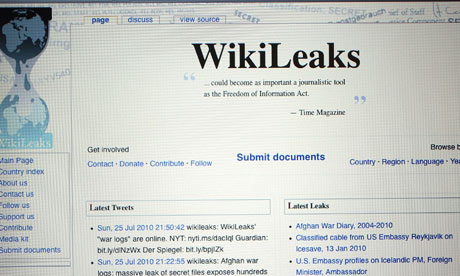
WikiLeaks was removed from its wikileaks.org address. Photograph: Joe Raedle/Getty Images
The US was today accused of opening up a dramatic new front against WikiLeaks, effectively "killing" its web address just days after Amazon pulled the site from its servers following political pressure.
The whistleblowers' website went offline for the third time in a week this morning, in the biggest threat to its online presence yet.
Joe Lieberman, chairman of the Senate's committee on homeland security, earlier this week called for any organisation helping sustain WikiLeaks to "immediately terminate" its relationship with them.
On Friday morning, WikiLeaks and the cache of secret diplomatic documents that have proved to be a scourge for governments around the world were only accessible through a string of digits known as a DNS address. The site later re-emerged with a Swiss domain, WikiLeaks.ch.
Julian Assange this morning said the development is an example of the "privatisation of state censorship" in the US and is a "serious problem."
"These attacks will not stop our mission, but should be setting off alarm bells about the rule of law in the United States," he warned.
The California-based internet hosting provider that dropped WikiLeaks at 3am GMT on Friday (10PM EST Thursday), Everydns, says it did so to prevent its other 500,000 customers of being affected by the intense cyber attacks targeted at WikiLeaks.
The site this morning said it had "move[d] to Switzerland", announcing a new domain name – wikileaks.ch, with the Swiss suffix. However, the new address still only points to an IP address, suggesting WikiLeaks has been unable to quickly find a new hosting provider.
The Wikileaks.ch domain name, which only surfaced on Friday morning, is being served by the Swiss Pirate Party. And the routing to it is still being done by everydns.
Late yesterday evening Tableau Software, a company which published data visualisations, pulled one of its images picturing the WikiLeaks diplomatic cables at the request of Senator Lieberman. Writing on the company's blog, Elissa Fink said: "Our decision to remove the data from our servers came in response to a public request by Senator Joe Lieberman, who chairs the Senate Homeland Security Committee, when he called for organisations hosting WikiLeaks to terminate their relationship with the website."
Mark Stephens, the London-based lawyer acting on behalf of Assange, wrote on Twitter after the shutdown:
Pressure appears to have been applied to close the WikiLeaks domain name.
Andre Rickardsson, an expert on computer security at Sweden's Bitsec Consulting, told Reuters: "I don't believe for a second that this has been done by everydns themselves. I think they've been under pressure," he said, apparently referring to US authorities.
A new Germany-based WikiLeaks domain – wikileaks.dd19.de – also appeared on Friday morning, with its data apparently hosted in California. People have also taken to setting up alternative domain names that point to the WikiLeaks address. Robin Fenwick, a UK-based web services director, this morning launched Wikileeks.org.uk – a "joke domain" that points to the WikiLeaks DNS address.
In a statement on its website, the free everydns.net service said that the "distributed denial of service" (DDOS) attacks by unknown hackers – who are trying to knock WikiLeaks off the net – meant that the leaks site was interfering with the service being provided to other users. That in turn meant that WikiLeaks had broken everydns.net's terms of service, and it cut the site off at 3am GMT on Friday (10PM EST Thursday).
DNS services translate a website name, such as guardian.co.uk, into machine-readable "IP quads" – in that case 77.91.249.30, so that http://77.91.249.30 will show the Guardian site. If the DNS fails, the site is only reachable via IP address – but WikiLeaks has not yet provided one via Twitter or other means.
Everydns.net said that the attacks – which have been going on all week, and led the site to temporarily host its services on Amazon's more resilient EC2 "cloud computing" service – "threaten the stability of the EveryDNS.net infrastructure, which enables access to almost 500,000 other websites".
WikiLeaks was given 24 hours' notice of the termination, and everydns said: "Any downtime of the wikileaks.org website has resulted from its failure to use another hosted DNS service provider."
The move comes after several days of WikiLeaks coming under a determined DDOS attack, apparently from hackers friendly to the point of view of the US government, which has disparaged the site's leaking of thousands of US diplomatic cables.
US companies have also come under intense political pressure to remove any connection to, or support for, WikiLeaks. Amazon ended its hosting of the cables on its EC2 cloud computer service earlier this week, but last night insisted in a blogpost that its decision was not due to pressure from Senator Joe Lieberman, who has called for the removal of the data – and who has influenced at least one other US company to withdraw support for WikiLeaks data.
In a blogpost late on Thursday, Amazon said reports that government inquiries prompted it to remove the data were "inaccurate".
Amazon said:
[Amazon Web Services] does not pre-screen its customers, but it does have terms of service that must be followed. WikiLeaks was not following them. There were several parts they were violating. For example, our terms of service state that "you represent and warrant that you own or otherwise control all of the rights to the content… that use of the content you supply does not violate this policy and will not cause injury to any person or entity". It's clear that WikiLeaks doesn't own or otherwise control all the rights to this classified content. Further, it is not credible that the extraordinary volume of 250,000 classified documents that WikiLeaks is publishing could have been carefully redacted in such a way as to ensure that they weren't putting innocent people in jeopardy.
It noted that:
When companies or people go about securing and storing large quantities of data that isn't rightfully theirs, and publishing this data without ensuring it won't injure others, it's a violation of our terms of service, and folks need to go operate elsewhere.
But as commentators have pointed out, that stance is contradicted by the fact that Amazon has previously hosted the "war logs" from WikiLeaks which contained data about the US wars in Afghanistan and Iraq.
Connecting to WikiLeaks is presently not possible until it gets a new DNS service. WikiLeaks itself said on Twitter that the ending of DNS services was allegedly due to "claimed mass attacks" and called for further donations to "keep us strong".
WikiLeaks cables: Live Q&A with Julian Assange
The founder of WikiLeaks, Julian Assange, will be live online from 1pm today to answer readers' questions about the release of more than 250,000 US diplomatic cables
Read Julian Assange's answers to your questions

Julian Assange, wikileaks founder. Photograph: Guardian
Update: Thank you for all your questions. We have now closed comments on this article. Read Julian Assange's answers here.
WikiLeaks founder Julian Assange is at the centre of intense media speculation and a hate campaign against him in America, following the leak of 250,000 US diplomatic cables.
He will be live online to answer Guardian readers' questions at 1pm today, subject to his access to an internet connection - which is very much a live issue. His online interview comes at the end of a week of shocking revelations from the cables and on a day when WikiLeaks has been fighting US attempts to take its website down.
Assange will answer your questions in the comments section below. From 1pm you will need to navigate to the latest comments for his replies.
Read Julian Assange's answers to your questions
Julian Assange, wikileaks founder. Photograph: Guardian
Update: Thank you for all your questions. We have now closed comments on this article. Read Julian Assange's answers here.
WikiLeaks founder Julian Assange is at the centre of intense media speculation and a hate campaign against him in America, following the leak of 250,000 US diplomatic cables.
He will be live online to answer Guardian readers' questions at 1pm today, subject to his access to an internet connection - which is very much a live issue. His online interview comes at the end of a week of shocking revelations from the cables and on a day when WikiLeaks has been fighting US attempts to take its website down.
Assange will answer your questions in the comments section below. From 1pm you will need to navigate to the latest comments for his replies.
Saturday, February 6, 2010
How do I update Ubuntu Linux softwares?
Q. I have latest version of Ubuntu Linux. How do I update Ubuntu Linux for security and application fix or upgrades?
A. Ubuntu Linux can be upgraded using GUI tools or using traditional command line tools.
Using apt-get command line tool
apt-get is the command-line tool for handling packages. You can use following command options:
=> apt-get update : Update is used to resynchronize the package index files from their sources via Internet.
=> apt-get install package-name : install is followed by one or more packages desired for installation. If package is already installed it will try to update to latest version.
a) Open terminal and type following two commands (Application > Accessories > Terminal):
b) Get update software list, enter:
c) Update software(s) i.e. apply updates:
d) Please note that above two command will fetch files from Internet. The location of update pages is specified in /etc/apt/sources.list (repositories). You need NOT to make any changes to this file until and unless you need extra repositories for your setup.
e) To upgrade individual software called foo type command:
Using Ubuntu Update Manager tool
This is GUI tool. It works like Microsoft / Red Hat update manager i.e. you will see a little icon in the kicker bar/taskbar when there are updates. It will only appear when new upgrades are available. All you have to do is click on it and follow the online instructions.
You can also start GUI tool by Clicking System > Administration > Update Manager
That's all.
Regards
Don Tukulesto
# www.indonesiancoder.com
A. Ubuntu Linux can be upgraded using GUI tools or using traditional command line tools.
Using apt-get command line tool
apt-get is the command-line tool for handling packages. You can use following command options:
=> apt-get update : Update is used to resynchronize the package index files from their sources via Internet.
=> apt-get install package-name : install is followed by one or more packages desired for installation. If package is already installed it will try to update to latest version.
a) Open terminal and type following two commands (Application > Accessories > Terminal):
b) Get update software list, enter:
tukulesto:~# sudo apt-get update
c) Update software(s) i.e. apply updates:
tukulesto:~# sudo apt-get upgrade
d) Please note that above two command will fetch files from Internet. The location of update pages is specified in /etc/apt/sources.list (repositories). You need NOT to make any changes to this file until and unless you need extra repositories for your setup.
e) To upgrade individual software called foo type command:
tukulesto:~# sudo apt-get install foo
Using Ubuntu Update Manager tool
This is GUI tool. It works like Microsoft / Red Hat update manager i.e. you will see a little icon in the kicker bar/taskbar when there are updates. It will only appear when new upgrades are available. All you have to do is click on it and follow the online instructions.
You can also start GUI tool by Clicking System > Administration > Update Manager
That's all.
Regards
Don Tukulesto
# www.indonesiancoder.com
Sunday, January 31, 2010
Remove an old Ubuntu Kernels
Someone has asked to me "how to remove old Ubuntu Kernels"
Every time Ubuntu installs a new Linux kernel, the old one is left behind. This means that if you are regularly updating an Ubuntu system the Grub boot menu becomes longer and longer with kernels you don’t need anymore.
The old kernels are deliberately left installed and on the menu so you can boot a previous kernel if you have trouble with a new one. But if the new one works, you can safely uninstall the old kernel, which will also result in the Grub menu being cleaned up.
First you need to find out what your current kernel is. Open a terminal and run the following command:
It will print the version of the Linux kernel you are running, this is the one you want to keep. It should look something like this:
This is the old trick, you just open the Synaptic package manager from the System->Administration menu.
Click the “Search” button on the tool bar and search for linux-image-2.
The results should show every available and installed kernel. A green box on the left indicates that the package is installed. The only linux-image you want installed is the latest one. Find the package corresponding to the kernel to you running currently (this is the kernel you found in the terminal window). Make sure you keep that one. Now you can uninstall the old kernels from the list by clicking their boxes and selecting “Mark for Removal”.
Caution! Be careful of what you remove. Ensure that you don’t remove your current kernel, or anything that is not a linux-image. It is possible to break Ubuntu if you remove the wrong kernel.
Click the apply button on the tool bar to complete the changes.
Your computer and Grub menu should now be free of old kernels.
That's all.
# www.indonesiancoder.com
Every time Ubuntu installs a new Linux kernel, the old one is left behind. This means that if you are regularly updating an Ubuntu system the Grub boot menu becomes longer and longer with kernels you don’t need anymore.
The old kernels are deliberately left installed and on the menu so you can boot a previous kernel if you have trouble with a new one. But if the new one works, you can safely uninstall the old kernel, which will also result in the Grub menu being cleaned up.
First you need to find out what your current kernel is. Open a terminal and run the following command:
uname -r
It will print the version of the Linux kernel you are running, this is the one you want to keep. It should look something like this:
2.6.31-14-generic
This is the old trick, you just open the Synaptic package manager from the System->Administration menu.
Click the “Search” button on the tool bar and search for linux-image-2.
The results should show every available and installed kernel. A green box on the left indicates that the package is installed. The only linux-image you want installed is the latest one. Find the package corresponding to the kernel to you running currently (this is the kernel you found in the terminal window). Make sure you keep that one. Now you can uninstall the old kernels from the list by clicking their boxes and selecting “Mark for Removal”.
Caution! Be careful of what you remove. Ensure that you don’t remove your current kernel, or anything that is not a linux-image. It is possible to break Ubuntu if you remove the wrong kernel.
Click the apply button on the tool bar to complete the changes.
Your computer and Grub menu should now be free of old kernels.
That's all.
# www.indonesiancoder.com
Subscribe to:
Posts (Atom)